Understanding Band Steering for Improved Wi-Fi Performance 📶

At wifi‑U, we’re all about helping you get the most out of your wireless networks. One feature that often flies under the radar but can make a big impact on performance is band steering. If you’ve ever wondered how your devices choose between 2.4 GHz and 5 GHz Wi-Fi bands — or why they sometimes seem stuck on the slower one — this post is for you.

Learn how it works, when to use it, and why it’s a must for modern networks. 📖 Check out our new Youtube Video Here!

🚀 SuperLink by Ubiquiti: A Tiny Box with Big Potential

When it comes to smart security, simplicity often wins—and Ubiquiti’s SuperLink proves that point beautifully. This compact device, essentially a small box with an antenna, quietly solves a major problem: enabling long-distance connectivity for battery-powered sensors, especially in environments where Bluetooth falls short.

🛠️  Setup & Performance

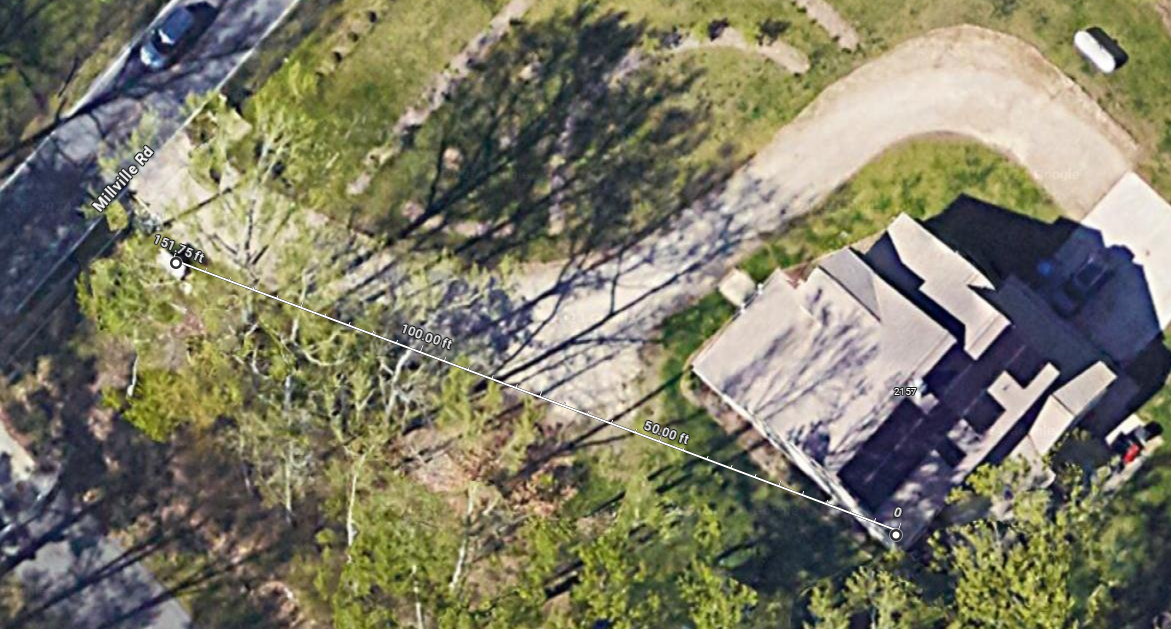
I had the chance to test out a SuperLink early on. The initial setup had a bit of a hiccup in that all my originally adopted sensors would not migrate to the Superlink. After I reset and readopted them though, they popped right up. I decided to place some sensors outside while keeping the Superlink in my home. One sensor went on our pirate ship playhouse, another in our side yard, and the last one all the way out by the entrance to our driveway, over 150 feet away. Despite the freezing conditions, the sensors stayed reliably connected. 

💡 What Works Well

  • Seamless sensor connectivity, even in harsh weather
  • Solves the problem of having sensors with no Bluetooth on U7 devices
  • Makes UP-Sense relevant again, especially with multiple SuperLinks
  • Flexibility to assign future sensors

🚨 Big things are brewing at Ubiquiti this August—they’re teasing a wave of new sensors, and now’s the perfect time to grab a Superlink and get ahead of the curve. I believe the Superlink could mark a turning point, where everyday users start ditching costly ADT monitoring in favor of Unifi Protect’s push notifications to secure homes, rentals, and small businesses.

 With extended-range sensors coming in August, we might even see Unifi gear expanding into agriculture and other underserved sectors that traditional security companies tend to overlook.

Bottom line? The Superlink has me genuinely excited about what’s next for Unifi Protect.

Author: Ryan Haag

Did You Know Ubiquiti Has Solar?


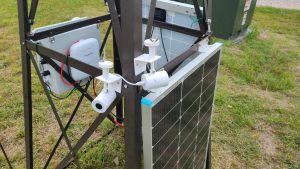
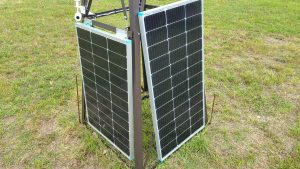
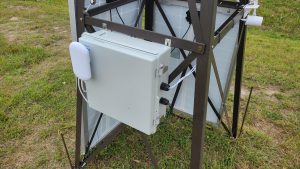
Did you know Ubiquiti has solar products? Our instructors Ryan and Jason used a UISP Solar Point with some solar cells and batteries to power a remote camera system. The cameras connect to the Solar Point’s 4-port switch and use a UISP long range link to connect to the main UNVR at the site, allowing the customer to view and record nearby traffic.

Author: Eric Weber

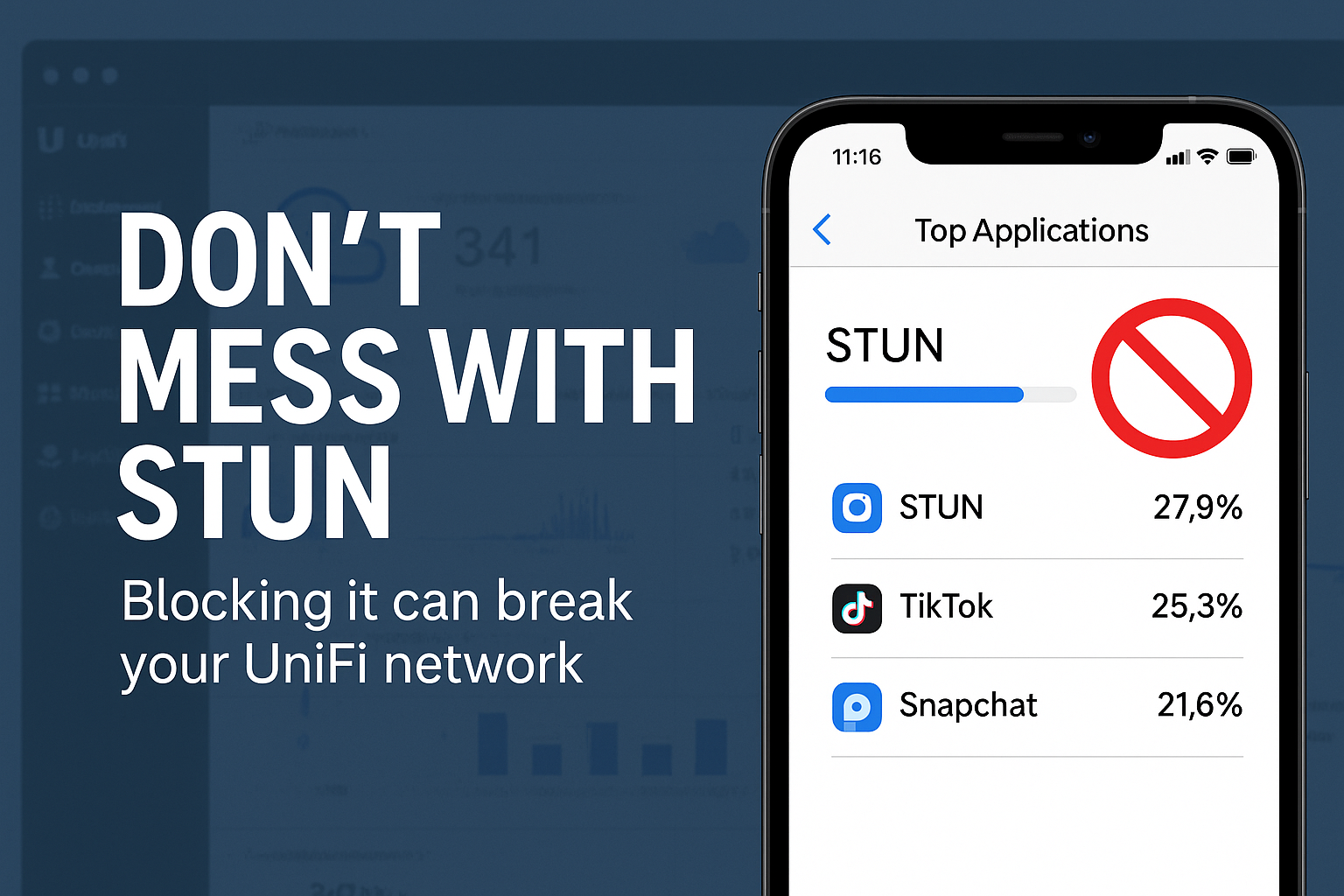
Don’t Mess with STUN: What You Need to Know Before Blocking Apps in UniFi

At WiFi-U, we love showing students how to take control of their networks. One of the powerful features in the UniFi ecosystem is the ability to block unwanted applications with just a few clicks. Whether it’s TikTok, Snapchat, or any other bandwidth-hogging app, UniFi lets you shut it down quickly and cleanly.

Wait… What Is STUN, and Why Should I Care?

Imagine this, while scanning app traffic, STUN is showing up as one of your top bandwidth users. That might seem strange—especially on a quiet Wi-Fi network—but don’t panic. STUN isn’t doing anything malicious, and more importantly:

You absolutely should not block STUN.

STUN stands for Session Traversal Utilities for NAT, and it’s a vital part of how UniFi devices communicate with cloud services, especially when you’re running a self-hosted UniFi Network Application (e.g., on a Linux server).

What Happens If You Block STUN?

If you block STUN traffic (usually using port 3478), your Access Points and Switches may not be able to reach the UniFi cloud infrastructure. That means:

  • ❌ Your devices might not show up in Site Manager

  • ❌ You may lose remote management functionality

  • ❌ Troubleshooting will become much harder than it needs to be

In other words, blocking STUN can break your network visibility, which defeats the purpose of using UniFi’s management tools in the first place.

So next time you’re feeling like a network superhero and ready to kill off rogue apps—leave STUN alone. It’s one of the good guys. 👊


Want more hands-on training like this?
Check out our upcoming Ubiquiti courses and level up your network mastery: https://wifi-u.com/shop/

Author: Eric Weber