
🚫 UniFi Owner Lockout: The Problem
When the user with UniFi Owner privileges leaves the company, you’re stuck. As of now, there’s no password reset option for the Owner account. The only recourse? A Factory Reset of the Console—which can trigger a cascade of device resets across the site.
✅ Ways to Mitigate the Impact
1. Super Admin Workaround
- If you only have Super Admin access:
- “Forget” all devices before performing a Factory Reset.
- After the reset, once the Console is back online, you can re-adopt the devices.
- ⚠️ You won’t be able to restore from a backup, as that’s reserved for the Owner.
2. Preserve Your Naming Scheme
- Before resetting:
- Take screenshots of the Devices page to retain names and configurations when re-adopting.
🛡 Best Practices to Prevent This Scenario
Option 1: Shared Owner Access
- Create a role-based email (e.g.,
support@it.net) and assign it the Owner role.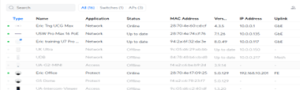
- Share credentials among trusted staff.
- ⚠️ Trade-off: Shared access complicates accountability and auditing.
Option 2: Use a Managed Email Account with Recovery
- Assign the Owner role to a mailbox within a managed system like Microsoft 365.
- Benefits:
– Admins can initiate password recovery without factory resets.
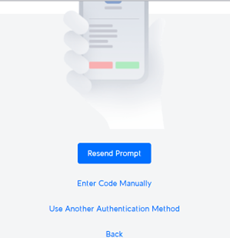
– MFA can be reassigned or reset via centralized email tools.
Author: Eric Weber
